
Your Interface Has a New User — and It's Not Human
Designing for humans now means designing for agents too, because they navigate your product through the accessibility tree and APIs, not the pixels.
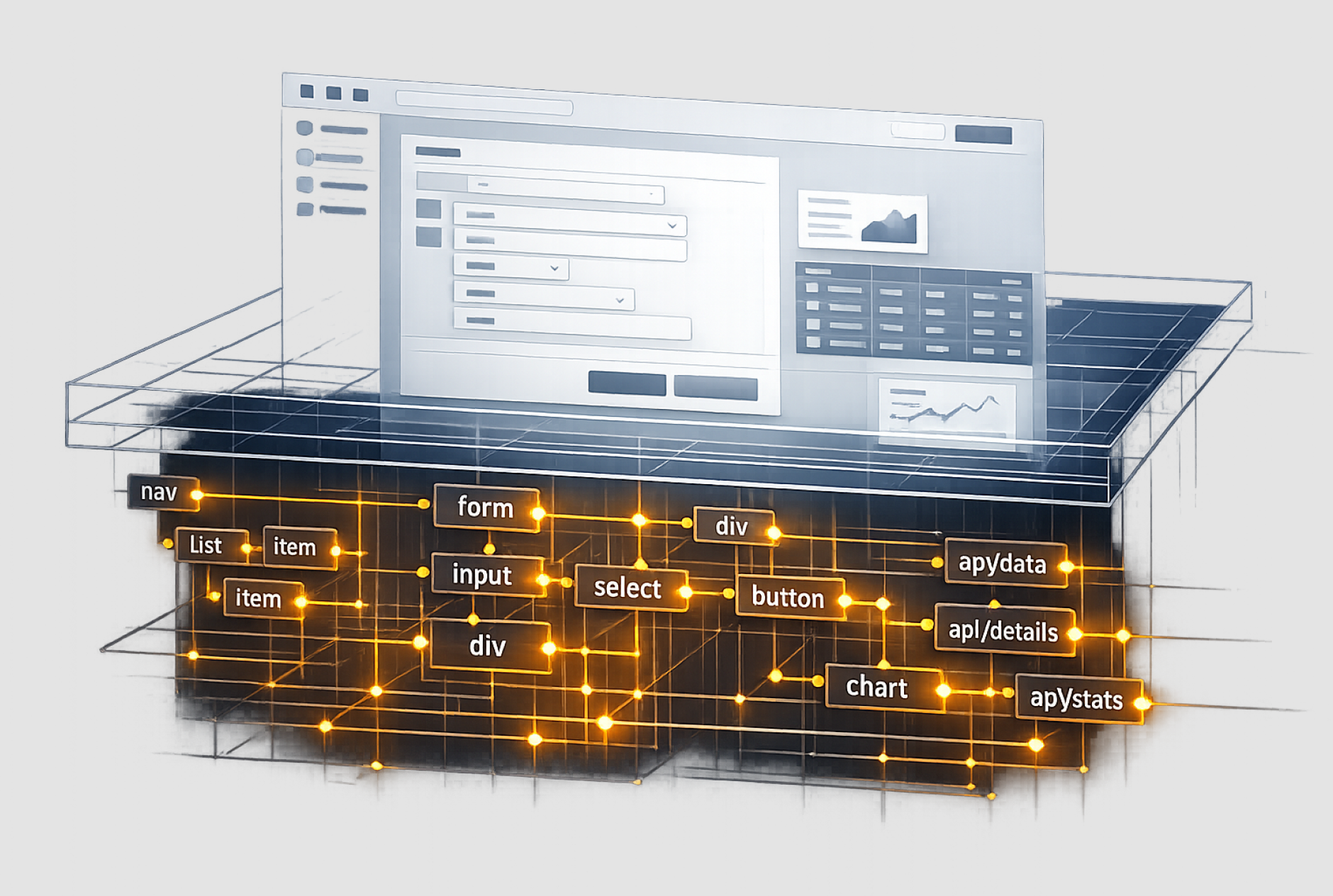
AI agents are using the products you design. Right now, not in some future scenario, in the actual interfaces you shipped.
The accessibility tree used to be a behind-the-scenes technical detail. It’s the semantic map that screen readers rely on. Useful, sure, but often treated like a compliance checkbox. Now it’s a primary interaction surface. An AI agent doesn’t experience your product through the pixels you designed. It moves through the accessibility tree. It interprets what buttons, forms, and fields mean. It reads your ARIA labels as if they’re the product itself.
That means the thing you built for 2% of your users to use with screen readers is now also the thing agents use to execute their tasks.
This is not a coincidence.
The interface you design now has two audiences simultaneously: humans who see the visual surface, and machines that read the semantic structure underneath. You can optimize for one at the expense of the other. Or you can understand that interfaces well-built for accessibility are already more legible to AI. When the accessibility tree is clear, precise, and honest, agents can use your product effectively. When it's vague or misleading, agents fail.
This changes what "interface quality" means.
For years, accessibility lived in the ethics column. A good thing to do or the right thing to do. It was compliance work, but now it's in the performance column. A technical requirement that determines whether your application is useful to its broadest audience, which now includes machines making decisions on behalf of people.
The designer who understands both audiences builds better products for everyone. Not because accessibility is suddenly fashionable. Because the semantic structure that serves people with assistive tech also serves AI agents. When you're designing for both, you're forced to think more clearly about what your interface actually does versus what it appears to do.
Two audiences. Three surfaces. All at once.
A human user interacts through multiple channels: vision (pixel layout, color, space, typography), input (mouse, keyboard, touch), and behavior (clicking, scrolling, typing). An AI agent interacts through fundamentally different channels: accessibility tree (semantic structure), DOM traversal (programmatic navigation), and APIs (direct data exchange).
Neither is the "real" interface. Both are.
When you design an application today, you're designing three parallel systems: the visual surface (what humans see), the accessibility tree (what assistive tech and agents read), and the API or programmatic surface (what integrations and automation use).
Most design teams treat these as separate problems. Visual design is the primary work. Accessibility is added on. APIs are someone else's problem. That architecture doesn't hold anymore.
If the accessibility tree is incomplete or misleading, agents can't navigate your application. They'll guess, and they'll fail, then they'll fall back to slower, less reliable methods. If your API surface doesn't expose the data agents need, they'll resort to scraping the visual interface, which is fragile and slow. If the visual design obscures intent, humans will struggle. All three layers matter simultaneously.
This is actually good news.
When you start designing for both human and agent users, you're forced into clarity. You can't fudge the semantic meaning of a button if a machine is going to act on it. You can't hide complexity in visual hierarchy if an agent needs to parse the structure programmatically. You can't pretend a form is optional if the API that feeds it needs to understand why.
The interface becomes more rigorous, honest, and useful.
The designers who develop this discipline early, who understand how to build interfaces that work for both audiences, who can think in accessibility trees and API contracts as fluently as they think in visual hierarchy, those designers become invaluable as organizations scale AI agents into production systems.
This is not about learning new tools, it's about learning to think about your interface as a system that serves multiple audiences simultaneously. Visual users, users with assistive technology, and machines - All at once.
The accessibility compliance argument didn't move the needle for most orgs, but the legibility-to-AI argument will. Somewhere in between is a truth worth building on: interfaces well-built for human accessibility are better interfaces for everyone, including the machines that are now part of the user base.